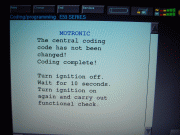
Hey weasel ... could you help me interpret these screens?
As we spoke about prior, I had a bunch of faults showing that were not cleared before. So, I did a Quick Delete and re-started Diagnosis.
First question:
After module discovery, it initially indicated "?" on certain modules. What does the "?" mean? See screenshot below:
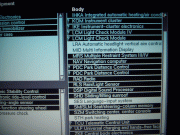
Second question:
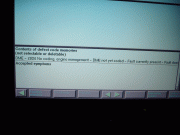
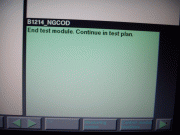
After running Short Test, I received an "X" on DME Motor Electronics. I Quick Deleted it twice but it still comes up. After the Short Test I continued to several screens but it doesn't seem to lead me to anything. It just brings me back to the Symptoms screen. What should I do from here? See progressive screenshots below:


Quote:
|
Originally Posted by weasel56
The ?'s next to the modules on the list indicates that there are more than one option of which one is installed, it knows after doing a short test which it has and puts an ! next to it. Normal, nothing to worry about there.
The X next to the DME means there is a fault stored, the fact that it doesn't clear means it is currently present. The fault showing is DME not yet encoded... Did you replace or reprogram the DME recently? Either way, you can encode it with the DIS V43 you have via the programming path, just click on DME and select encode. Programming sets up certain software guidelines for the system to operate by, tells it what to do essentially. (which is why so many problems on modern vehicles are fixed with programming) What encoding does is burn into the DME the VIN# and what other modules/options are installed in the vehicle, known as the vehicle order, personalizes the module to the specific vehicle.
And for the headlight problem, it has ot see the fault a few times before it sets the fault. But sometimes it is a failing part that the computer doesn't see that won't throw a fault, then you need a good understanding of how it works. The beauty of the GT1 is you can still choose a test plan to run even if there are no faults stored for it, and the test plan also gives you a functional description and wiring schematic to look through.
|
Tried to clear the fault a different way to see if that would work.
(EDIT - Fault returned) SOLUTION 1- Clear through Control Module Functions instead of Quick Delete:
1) De-highlight & re-highlight DME to run individual short test: OK -> 2) DME displays "X" indicating the fault is still there.


3) Select: Control-Module Functions -> 4) DME Module shown with "X"
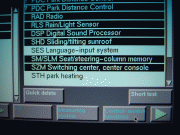
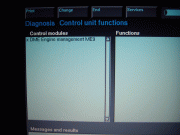
5) Highlight Module to display Functions -> 6) Select: Clear Fault Memory -OK
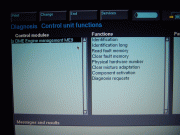

7) Fault cleared (no more "X") -> 8) Select: End, Quit, Quick Delete, Terminate.
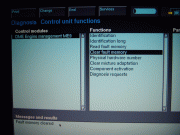
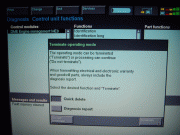
9) Results after re-running complete ShortTest (no faults).

No joy. So tried to encode the DME as suggested by Weasel.
EDIT (Re-coding unsuccessful) SOLUTION 2 - Re-code DME:
From the Coding/Programming main screen.
1) Select: ZCS/FA Coding -> 2) Displays ZCS/VO version

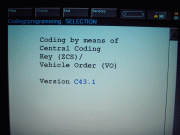
3) Displays Warning -----> 4) Select: E53 series

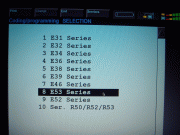
5)Select: Recoding ------> 6) Wait
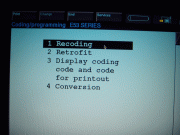
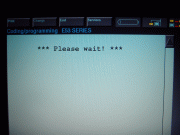
7) Displays List (upper) --> 8) Scroll down, Select: Motronic

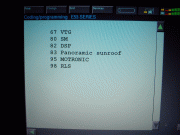
9) Confirm selection, YES -> 10) Preparation instructions
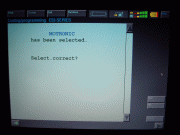

11) Start autocodinng, YES -> 12) Auto Coding active

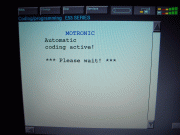
13) Coding complete but no changes!