
|
|
|
|
||||||||||
| Xoutpost server transfer and maintenance is occurring.... |
| Xoutpost is currently undergoing a planned server migration.... stay tuned for new developments.... sincerely, the management |
 |
|
|
LinkBack | Thread Tools | Display Modes |
|
#551
 09-23-2010, 03:10 AM
|
||||
|
||||
|
3D perspective mode, to enable this, Perspective mode needs to be enabled in 2 places, 1: The hidden setup menu. Go to the menu screen select set (or settings) and hold menu button for 10 seconds, when the hidden menu appears scroll down untill the perspective mode option is selectable. 2: In the arrow map pointing menu. Select GPS-Navigation, then Map, then push right button, select Map Positioning and there select Perspective Here is a video I made of how to get into the service mode. YouTube - Secret menu on e46 sat nav Map downloads are not allowed. Hope this helps BTW there are Russian version of the voice and text (in Cyrillic)
__________________
Sept 03, M3, Silver Grey. Retro-fits: Modded Mk4 DVD Drive, OEM Bluetooth, VR Control, Rainbow Speaker Upgrade, Sony SOT Amp, HK Sub, CCFL, Intravee II, NightMode. 
|
| Sponsored Links | |
|
|
|
|
#552
09-25-2010, 04:27 AM
|
||||
|
||||
|
Quote:
|
|
#553
10-26-2010, 07:27 AM
|
|||
|
|||
|
Range Rover Sport HSE 2006 - Europe
Hi!
I have an European Range Rover Sport HSE 2006. The Nav Screen is not split. Not sure if is is a MKIII or MKIV. The DVD unit under the driver seat has a lock button on the right. Would this v32 software work in my Nav? I've followed all the instructions (downloaded and burned the CD), but the screen says "Please insert a program DVD". In the diagnostics view it says the actual version is V1070 (I used the 2009-2010 West-Europe Maps DVD, and it did an upgrade; but I haven't been able to upgrade to v32). What upgrade version should I use? Thanks for your help, R
|
|
#554
11-18-2010, 01:41 PM
|
||||
|
||||
|
hello people, i have a problem...
i have an X5 2004-2005 with MK4 Navi in my trunk, with soft vers. SW4-1/30, and i try to update the soft to the last vers. 32, i burned some Verbatim CD with ImgBurn Mode1, speed 2x, but no luck, then i burned a Verbatim DVD with Nero, open my car, i put the keys in first step, set from menu on Navi, the inserted the DVD in my MK4, after some seconds, it's say Loading... then BLANK SCREEN, and nothing....  the MK4 light go off, and i can't get the DVD out, after several pushes on eject buton the DVD commes out, i restart the car and now BANG... i have an old looking Menu, the MK4 light go off, and i can't get the DVD out, after several pushes on eject buton the DVD commes out, i restart the car and now BANG... i have an old looking Menu,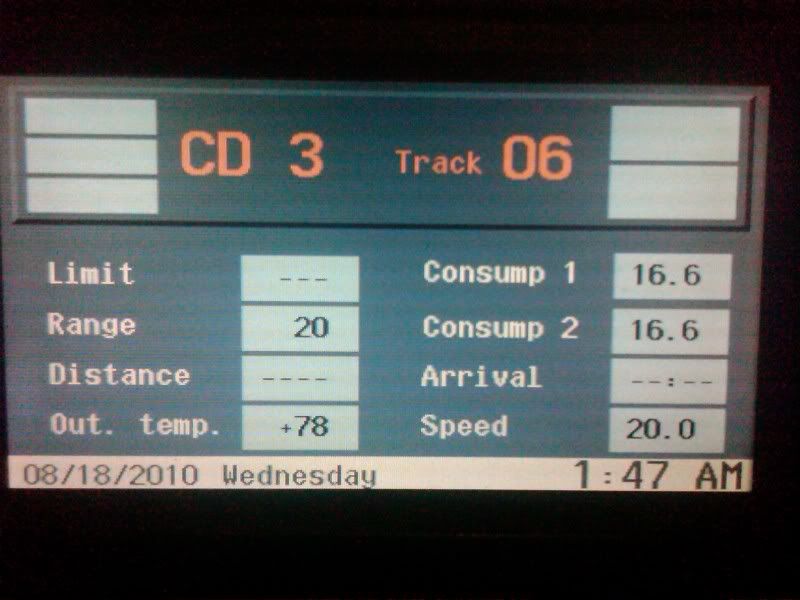 with no Navigation active... After i read here i think i have to turn the engine on when i try to upgrade...with and older version. Please help me i can't sleep if i screw my car and i have to buy another Navi...
|
|
#555
11-18-2010, 04:08 PM
|
||||
|
||||
|
Burn the cd at the minimum RATED speed of the blank CD, so if the slowest speed is x4 use x4, if its x8 then use that.
make another cd and try again mate. DO NOT FORCE X1 or X2 if that are not supported.
__________________
Sept 03, M3, Silver Grey. Retro-fits: Modded Mk4 DVD Drive, OEM Bluetooth, VR Control, Rainbow Speaker Upgrade, Sony SOT Amp, HK Sub, CCFL, Intravee II, NightMode.
|
|
#556
11-18-2010, 04:13 PM
|
||||
|
||||
|
Follow this ***exactly***
Use imgburn or similar (The Official ImgBurn Website) to burn a new (blank) cd with the new downloaded firmware image. v32 is the latest, but has no updates for the mk4 over v31. Unzip imgburn, then v31 image and then open imgburn, and select the "write image file to disc" then select the v31.cue or v32.bin file, depending on download. Select the write speed as the slowest rated speed for the disc, you must do this and then burn on a good quaility cd. When its finished writing your new firmware cd, Goto the car open the drivers door, Goto the nav computer and press eject on drive, Eject the map disc, Switch ign to pos 1, leave door open. Insert firmware disc into drive, follow instruction on nav screen. Wait (approx 6 mins) till sat nav asks to eject cd and reboot. Eject cd, Confirm reboot. That's it. Do not switch off ignition or close the door when doing the upgrade. Never ever use nero, and do not use a dvd, it will work, but is not recommended.
__________________
Sept 03, M3, Silver Grey. Retro-fits: Modded Mk4 DVD Drive, OEM Bluetooth, VR Control, Rainbow Speaker Upgrade, Sony SOT Amp, HK Sub, CCFL, Intravee II, NightMode.
|
|
#557
11-19-2010, 01:11 PM
|
||||
|
||||
|
thanks man...i did it...before u reply me...
i burn a Verbatim DVD (the reason i burn a DVD is that i try with CD olso Verbatim but no luck) at 1x with V.31, start the engine...(i think thid was my mistake last time) and upgradet succesful. i activated the Perspective View, but no changes...how can i see 3D buildings, i live in Romania, maybe there are no 3D buildings for this country...  p.s. i what to ask if its safe to do this on another friend bmw x5 car, if i use the same procedure, i don't whant to damage the car dvd navi, becouse the local bmw dealer it say that is dangerous, and i can damage for ever the dvd navi unit. What is the worst case scenario? thanks again man c ya Last edited by violafan; 11-19-2010 at 01:18 PM.
|
|
#558
11-19-2010, 02:15 PM
|
|||||
|
|||||
|
Quote:
Quote:
Quote:
Quote:
Quote:
__________________
Sept 03, M3, Silver Grey. Retro-fits: Modded Mk4 DVD Drive, OEM Bluetooth, VR Control, Rainbow Speaker Upgrade, Sony SOT Amp, HK Sub, CCFL, Intravee II, NightMode.
|
|
#559
11-19-2010, 03:56 PM
|
||||
|
||||
|
ok man, about the upgrades...
if i use these steps, then nothing can be wrong ?! right.. 1. Open driver door 2. Start the engine 3. Go to Menu - Set - (check Firmware Vers.) 4. Chose the new update CD/DVD vers. 5. Insert in DVD Navi in trunk 6. Follow the indication on screen 7. Eject the CD/DVD 8. Press OK 9. Restart i mean that i can't damage the Navi Unit if i insert the new CD/DVD upgrades. - i can damage the Navi only if i stop the engine during upgrade process ? What NOT to do so u can successfully update your Navi. thanks
|
|
#560
11-19-2010, 04:24 PM
|
||||
|
||||
|
Quote:
Quote:
Goto the car open the drivers door, Goto the nav computer and press eject on drive, Eject the map disc, Switch ign to pos 1, leave door open. Insert firmware disc into drive, follow instruction on nav screen. Wait (approx 6 mins) till sat nav asks to eject cd and reboot. Eject cd, Confirm reboot. That's it. Do not switch off ignition or close the door when doing the upgrade.
__________________
Sept 03, M3, Silver Grey. Retro-fits: Modded Mk4 DVD Drive, OEM Bluetooth, VR Control, Rainbow Speaker Upgrade, Sony SOT Amp, HK Sub, CCFL, Intravee II, NightMode.
|
|
| Bookmarks |
|
|
|
|


 Linear Mode


